HOME ABOUT ARCHIVES

For us xooglers, Kubernetes is the closest thing in the outside world to Borg. I don’t have any immediate need to use it, but twice now I have decided it would be a fun thing to tinker with. Both times, I’ve run into issues with the getting started guides. This post is to note the work-arounds for the problem I encountered.

I’m pretty sure that if I were willing to pay Google some money to learn about Kubernetes on Google Container Engine, it would all work just flawlessly. Unfortunately, I’m cheap and I want to learn about Kubernetes using Vagrant on my laptop. Unsurprisingly, this getting started guide is woefully incomplete. It has you create a replicated nginx setup where you cannot even reach any of the 3 replicas and then it closes with what I take to be a sarcastic, “Congratulations!”

So this post shows you how you can actually see the nginx welcome pages and thus prove to yourself that you managed to run nginx beyond just trusting what the Kubernetes tools tell you. Just to be clear, though, this post doesn’t try to replace “Running Kubernetes Locally with Vagrant”. I’m just merely filling in one big information hole in that guide, which is how to connect to the nginx servers that you just heroically started in container-space. To make this more helpful to future me, though, I’m going to include all the steps. If you are not me, you should start with the original guide and come back to these steps. So here goes:

Running nginx in Kubernetes Locally with Vagrant

1. Create a Kubernetes cluster with a master and a single node.

$ export KUBERNETES_PROVIDER=vagrant
$ curl -sS https://get.k8s.io | bash

2. Start an nginx deployment with 3 replicas.

$ ./cluster/kubectl.sh run my-nginx --image=nginx --replicas=3 --port=80

Unfortunately, this is where the original guide stops. You can see that nginx is running using kubectl, but you have no way to use your browser to load the default welcome page. I thought at first that the authors were just lazy and I tried to steal commands from the non-vagrant guides but I was unable to make it work. Here’s the command that you would expect to use next:

$ ./cluster/kubectl.sh expose deployment my-nginx --port=80 --type=LoadBalancer

This command claims to succeed, but it’s actually doing nothing at all. I didn’t know this until I found a set of issues that revealed that asking for a LoadBalancer in a Vagrant environment was essentially a no-op. It claims to succeed, but you just don’t get a load balancer.

The solution is to replace --type=LoadBalancer with --type=NodePort. NodePort is not as cool, it just means that instead of getting a real external IP address, a port will be allocated on each of your nodes (we only have a single node in this example). While this is convoluted, it will allow us to reach nginx running in our Kubernetes cluster.

3. Exposing nginx as a service

$ ./cluster/kubectl.sh expose deployment my-nginx --type=NodePort

Now, we need to know a couple of other bits of information (1) the IP address of our node and (2) the port that our service got mapped to.

Let’s find the IP Address of our node:

$ ./cluster/kubectl.sh describe nodes | grep Address
Addresses:    10.245.1.3,10.245.1.3

The IP Address for our node is 10.245.1.3.

And let’s find the “NodePort”

$ ./cluster/kubectl.sh describe services | grep ^NodePort
NodePort:    <unset>    30505/TCP

And the NodePort is 30505.

So we can reach nginx in the browser by visiting the address: http://10.245.1.3:30505/.
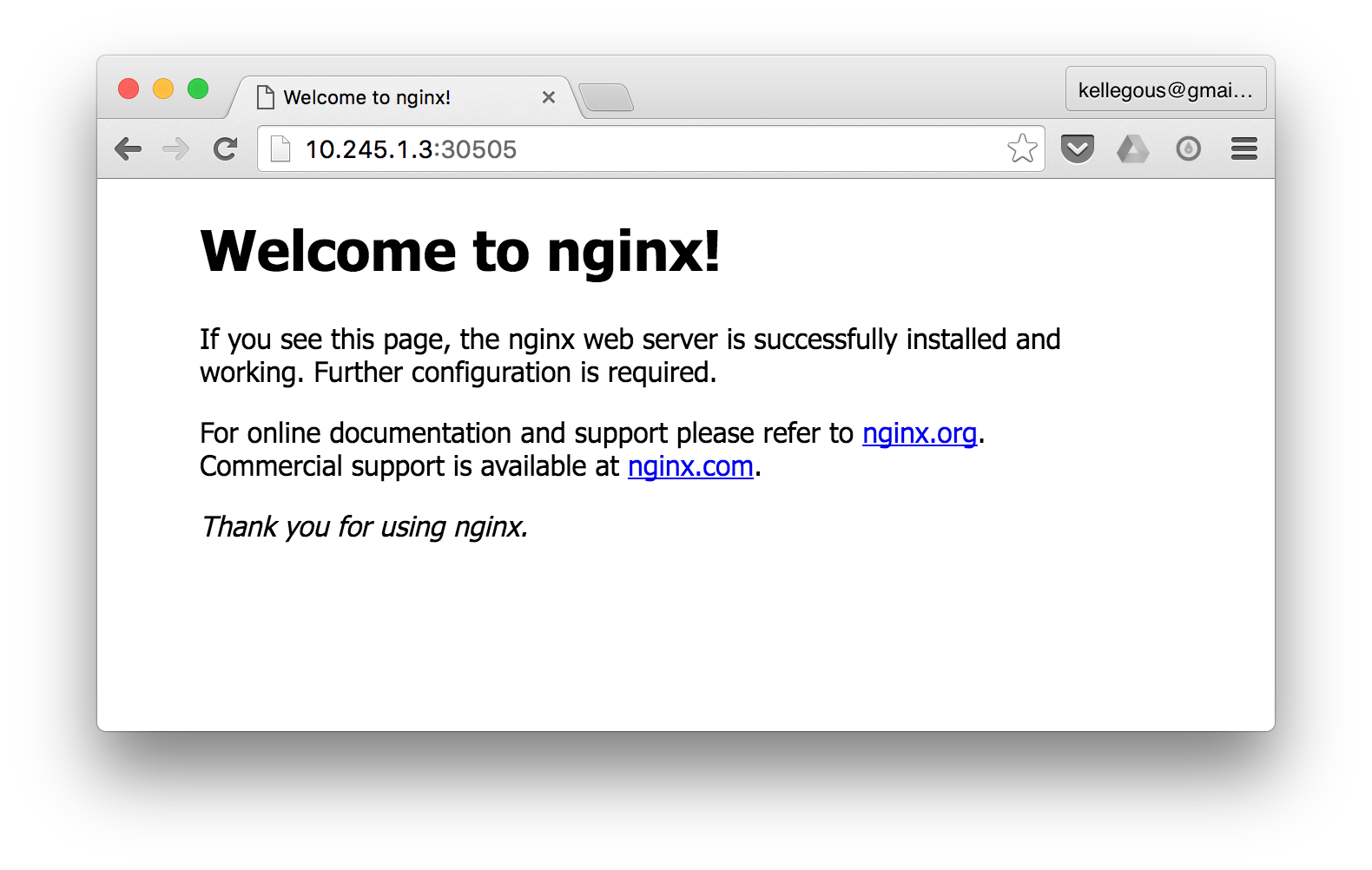
You can see why that is a lot less satisfying than running this in the cloud and getting a real IP Address, but for those who are excessively cheap like I am, http://10.245.1.3:30505 will do just fine.

About every six months, I face the exact same task. I need to draw some kind of hex-based grid. It’s not that surprising that it keeps coming up, hex grids are just aesthetically amazing and also relatively simple. But everytime this comes up, I find myself scribbling formulas in a notebook to remember what it was I did last time to make the associated code somewhat sane. So these are those recurring notes.

Drawing a Hexagon

First of all, let’s talk about the basics. How do you draw a single hexagon?

In python, this might look like this:

def draw_hexagon(cx, cy, r):
    a = r*math.cos(math.pi/3)
    b = r*math.sin(math.pi/3)
    beginpath(cx + r, cy)
    lineto(cx + a, cy + b)
    lineto(cx - a, cy + b)
    lineto(cx - r, cy)
    lineto(cx - a, cy - b)
    lineto(cx + a, cy - b)
    closepath()
    endpath()

Of course, this is a hexagon specific version of the following code which draws a polygon with n vertices on the circumference of a circle.

def draw_polygon(cx, cy, r, n):
    beginpath(cx + r, cy)
    for i in range(1, n):
        lineto(cx + r * math.cos(i * 2 * math.pi / n),
               cy + r * math.sin(i * 2 * math.pi / n))
    closepath()
    endpath()

But the interesting bit is drawing a grid of hexagons. You know, like a honey comb. That’s the thing I always forget.

Drawing a Grid of Hexagons

If you want to know everything about hexagonal grids, read Amit Patel’s amazing article. By the way, I once chatted with Amit over email at Google because he watched everyone’s snippets for the terms “space elevator”. Anyway, I’m not trying to be exhaustive as Amit here. I’m just trying to document the method I often use to draw a hexagonal grid.

The most imporant part is finding a useful unit of repetition. You know, something you can draw repeatedly using a plain ole’ rectangular grid. Well, here’s something:

As you can tell, a and b are the coordinates upon which the grid is built. If we simply divide the space up so that we can repeat these two offset hexagons, things should work out. It kind of looks like this.

def draw_hexagon(cx, cy, r):
    a = r*math.cos(math.pi/3)
    b = r*math.sin(math.pi/3)
    beginpath(cx + r, cy)
    lineto(cx + a, cy + b)
    lineto(cx - a, cy + b)
    lineto(cx - r, cy)
    lineto(cx - a, cy - b)
    lineto(cx + a, cy - b)
    closepath()
    endpath()
    
def draw_grid(w, h, n=20):
    # the size of the repeatable grid
    dx = w / n    
    # find the value for a (dx is 6 a's)
    a = dx / 6.0
    r = 2 * a
    # find the value for b
    b = r * math.sin(math.pi/3.0)
    # number of repeatable grids vertically
    dy = b*2
    
    ny = int(math.ceil(h / dy)) + 1

    for j in range(ny):
        for i in range(n+1):
            draw_hexagon(i*dx, j*dy, r)
            draw_hexagon(i*dx + 3*a, j*dy + b, r)

That’s it.

After a long absence, I’ve recently found myself back in the world of Java. Prior to the break, though, I worked in some kind of JVM language almost every day. When you are fully immersed, you begin to not see Java’s quirks. But if you take a break and come back, they are all (once again) front and center.

My most recent rediscovered quirk is the curious case of why a combination of generics and variadic methods requires the use of @SafeVarargs. I suspect the most confusing thing about this particular quirk is the wording of the common warning that is emitted. My suspicions are backed up by the number of stack overflow questions that reference warning directly. So let’s take a look at some code that causes the warning.

static <T> List<T> toList(T... args) {
  List<T> list = new ArrayList<>();
  for (T arg : args) {
    list.add(arg);
  }
  return list;
}

And now let’s look at the warning that is emitted by the Java compiler:

warning: [unchecked] Possible heap pollution from parameterized vararg type T

I think the most mysterious part of this warning is that it mentions the possibility of something that sounds truly disastrous, “heap pollution”. To which most people, I assume, respond with: ¯\_(ツ)_/¯

What is heap pollution?

Heap pollution really just means the type of the thing you have does not match the type indicated by the type system. You really shouldn’t be able to cause heap pollution in Java without doing something that emits a warning. Like here is a super simple form of heap pollution.

List<String> a = new ArrayList<>();
((List)a).add(4);
System.out.println(a.get(0)); // ClassCastException!!!

As expected, though, line #2 causes a compiler warning. The big issue with a polluted heap is you will get a type error at the worst time, runtime.

How to use varargs to pollute the heap

The warning we saw above on variadic, generic methods suggests there is a way to write code that pollutes the heap without any other compiler warning. Indeed there is:

static <T> List<T> makePollute(T... args) {
    Object[] asArray = args;
    asArray[0] = 42;
}

Notice that we do some unmistakably bad things here, but the compiler doesn’t offer any warnings. At runtime, though, this is likely to throw either an ArrayStoreException or a ClassCastException depending on the types involved. There are also cases where this code doesn’t show an exception at all.

makePollute(1, 2, 3); // no exception
makePollute("foo", "bar"); // ArrayStoreException

To understand why this happens, you have to look at what the java byte code looks like when you take into account type erasure and the fact that variadic methods are simply methods that take arrays as arguments.

static void makePollute(Object[] args) {
  Object[] asArray = args;
  asArray[0] = 42;
}

public static void main(String[] args) {
  Integer[] args1 = new Integer[3];
  args1[0] = Integer.valueOf(1);
  args1[1] = Integer.valueOf(2);
  args1[2] = Integer.valueOf(3);
  makePollute(args1);

  String[] args2 = new String[2];
  args2[0] = "foo";
  args2[1] = "bar";
  makePollute(args2); // asArray[0] = 42 won't work!
}

It’s now a little clearer why you end up with an ArrayStoreException. I remember chatting with some of the folks who worked on Java and the JVM and they always bemoaned the fact that seemingly independent language features tended to interact with each other in so many unpleasant ways. I imagine this is exactly the kind of thing they had in mind.